

Tools and providers
Selecting accounting tools and suppliers with HMRC, data and exit controls in mind
Select accounting tools and suppliers for an England practice in 2027 with workflow, HMRC, data, security, cost, migration and exit controls.
An accounting practice should choose its 2027 tools by tracing real work from source document to reviewed output, submission and archive. The direct answer is to test fit, user authority, evidence preservation, data terms, cost and exit before paying. A long feature list cannot establish any of those things.
This guide is based on official and first-party pages checked on 5 September 2026. Product functions, prices, recognition records and future filing arrangements can change before or during 2027. The HMRC, Companies House, ICO and NCSC points were rechecked between 27 and 29 October 2026. Reopen every decisive source, contract and product page before purchase or publication. Legal, tax, accounting, data-protection and security conclusions need qualified review for the actual practice.
What to take away
- Design the accounting service sequence before comparing products, tracing work from source document to archive.
- Capture HMRC and Companies House recognition at exact product, edition and date level for each candidate.
- Map data roles and permitted use for every supplier before uploading live client records.
- No single provider is declared best; the deliverable is a traceable, evidenced configuration for the practice.
- Supplier security depends on customer configuration, so both sides need testing.
Key findings
- Making Tax Digital for Income Tax thresholds fall from over £50,000 (from 6 April 2026) to more than £30,000 (from 6 April 2027) and more than £20,000 (from 6 April 2028), according to HMRC.
- HMRC estimates around 1,077,000 more sole traders and landlords will need digital records and compatible software from 6 April 2027, based on 2024 to 2025 Self Assessment returns.
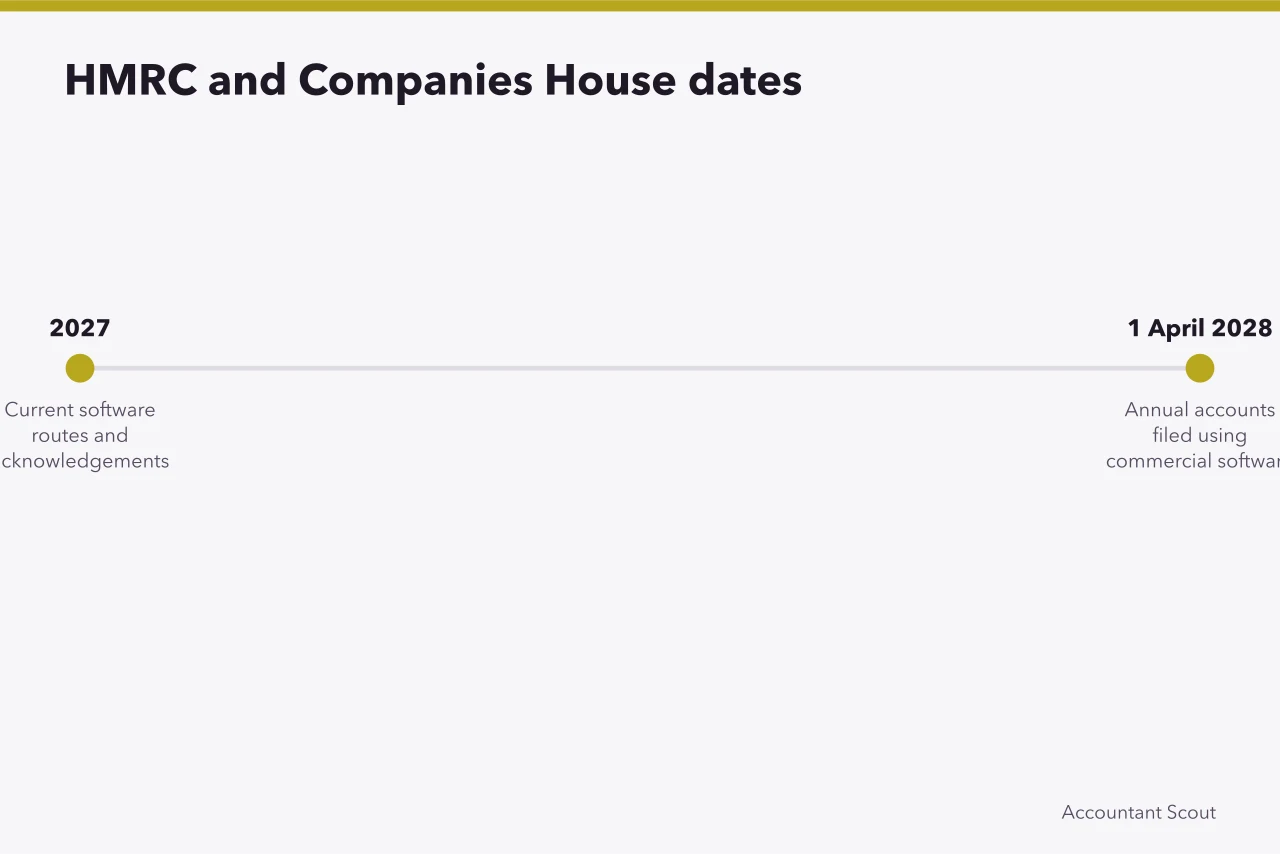
- Companies House will require accounts to be filed in iXBRL format using commercial software from April 2028. The government says this is going ahead as planned, while the profit and loss requirement for small companies and micro-entities is paused.
- HMRC cannot give advice about specific software products, so a recognition record has to be checked product by product.
- The ICO says its guidance on the Article 28(3) contract terms is under review following the Data (Use and Access) Act, so check the current text.
Design the operating model before shopping
Draw the accounting service as a sequence of tasks. Begin with how a client supplies information, then show validation, coding, correction, review, approval, filing or delivery, acknowledgement, billing, retention and exit. Add the person and system responsible at each point. For each task, name the preparer, reviewer, approver, client user and administrator, and record what each may view, change, export and submit. A feature that exists only on the wrong plan, for the wrong user or outside the relevant UK product is not a usable requirement.
Accounting service task sequence
- Client supplies information
- Validation and coding
- Correction and review
- Approval and filing
- Acknowledgement and billing
- Retention and exit
Split the technology into honest categories:
- source-document and receipt capture;
- bookkeeping and general ledger;
- invoicing, expenses and payments;
- payroll and workforce records;
- tax and accounts production;
- practice, workflow and deadline management;
- document exchange and electronic signature;
- reporting, forecasting and analysis;
- identity, security, backup and recovery.
One suite may span several categories, while a specialist product may do a single task well. Neither model is inherently better. What matters is whether data moves accurately, errors are visible and responsibility remains clear.
List every entity type, accounting basis, tax, currency, bank, transaction pattern and filing route the practice intends to support. Include less common events such as partial payments, credit notes, director transactions, amended figures and clients who deliver incomplete records.
Capacity assumptions belong in the design. Record current and forecast users, clients, transactions, documents, storage, integrations and deadline peaks. A product that works for a ten-file demonstration may behave differently when hundreds of users need help in the same week.
Distinguish mandatory gates from preferences
Create a requirements register with five fields: need, owner, test, required evidence and consequence of failure. Mark each item as mandatory, weighted or informational.
Mandatory gates before scoring
- Exact tax or filing function
- Correct record and entity coverage
- Named users and permission separation
- Review history and correction traceability
- Usable import and export formats
- Acceptable data-processing arrangement
- Strong authentication and tested recovery
Mandatory gates might include:
- support for the exact tax or filing function;
- correct record and entity coverage;
- named user accounts and adequate permission separation;
- review history and correction traceability;
- usable import and export formats;
- an acceptable data-processing arrangement;
- strong authentication and tested recovery;
- a workable deadline contingency;
- terms the practice can lawfully and operationally accept.
Evaluate mandatory gates before calculating a score, because cosmetic advantages can mathematically hide one disqualifying absence.
Preferences can then carry disclosed weights. Ease of use should mean observed completion of specified tasks, not a reviewer's impression of a colourful interface. Integration should mean a tested product version, data direction, timing, error message and recovery route.
Verify HMRC and Companies House functions at product level
Making Tax Digital support is not one universal capability. HMRC's Income Tax software finder asks users about income sources, whether they need to create or connect records, and their accounting period. Agents can view compatible products with filters.
Whether a client needs this software at all depends on qualifying income. From 6 April 2026, sole traders and landlords whose qualifying income in the 2024 to 2025 tax return was over £50,000 must use Making Tax Digital for Income Tax (HMRC guidance). From 6 April 2027 the threshold is more than £30,000, and from 6 April 2028 it is more than £20,000, as the same HMRC guidance sets out in its start-date table. HMRC's news release confirms the £30,000 date and the fall to £20,000 from April 2028.
Thresholds set by HMRC (source: HMRC, GOV.UK). Check your own qualifying income for the tax year before the start date.
Users send quarterly updates every 3 months through HMRC-recognised software, and the tax return and payment are still due by 31 January following the end of the tax year. HMRC estimates around 1,077,000 more sole traders and landlords will need to create digital records and use compatible software from 6 April 2027, based on 2024 to 2025 Self Assessment returns.
Capture the finder filters you used: income sources such as self-employment or UK property, whether the product creates or connects records, the accounting period, and the date checked.
For example, a sole trader with trading and property income filing quarterly updates should record the finder result for those sources, the product name and edition, the tax year and the check date. Keep the saved result with the recognition record.
HMRC's Making Tax Digital guidance says all software listed on the finder has been through HMRC's recognition process, but HMRC's help and support page says HMRC cannot give advice about specific software products. Capture the exact product, supported circumstances, date and official result. A recognition record does not prove that the tool suits the practice's wider bookkeeping, review, support or security needs.
For company information, read the Companies House announcement on accounts filing from April 2028. It says that from April 2028 all UK registered companies must file their accounts in iXBRL format using commercial software, and that this requirement is going ahead as planned. The same announcement pauses the introduction of profit and loss filing for small companies and micro-entities while the government considers alternative options. That is a future 2028 requirement, not a 2027 deadline.
Ask a supplier which document types, company circumstances and amendments its exact product handles. Submit approved test cases where an official environment and engagement allow it. Preserve acknowledgements and rejected-response detail. Never let a generic product badge replace this record.
Shortlisting and comparing candidate products
A practical longlist can include core accounting products such as Xero, QuickBooks Online, Sage Accounting and FreeAgent, alongside a separate capture tool such as Dext. Each name must be checked against the practice's own requirements, editions and plan limits.
The suppliers' UK pages describe different scopes:
- Xero presents cloud accounting, invoicing, bank-transaction, reconciliation, reporting and application-connection functions;
- QuickBooks UK describes online accounting, invoices, income and expense records, reporting, bank connections and plan-dependent functions;
- Sage Accounting sets out several small-business plans with accounting, banking, supplier and reporting features;
- FreeAgent provides a UK-facing overview of small-business accounting and administration tools;
- Dext describes document capture, processing, storage and connections to accounting platforms.
Research date: 5 September 2026, using each supplier's own UK pages. Plan limits to capture for every candidate include user numbers, entities, transaction or document volumes, storage, bank feeds, payroll and filing functions, support level and contract term. These limits vary by edition and must be checked against the practice's own volumes before comparing products.
These are first-party descriptions, not independent proof of performance. Check product edition, plan limits, integrations, help route, tax support, data terms and exports. Do not compare Dext's input role with a general ledger as though both supply the same service.
Treat every named product or supplier as a candidate to test, not an endorsed choice. HMRC itself says it does not endorse any agents, bookkeepers or accountants (HMRC agent toolkit). The five named UK accounting tools for practices are listed separately.
Publish a selection method whenever naming products. State the research date, geographic and customer scope, inclusion criteria, commercial relationships, evidence reviewed and features not tested. If no hands-on test occurred, say so. Avoid repeating supplier superlatives or savings claims as editorial conclusions.
Establish data roles and permitted use
An accounting technology stack can contain customer identities, addresses, bank transactions, payroll details, tax records and contextual notes. Map each information flow from collection through sharing, storage, support access, archive and deletion.
Supplier data questions
- What is processed?
- Why and on whose decision?
- Who receives it?
- Where is it handled?
- How long is it kept?
- How can people exercise rights?
- What happens at exit?
The ICO's controller and processor guidance explains that roles depend on which party determines purposes and means, and says an organisation is not by its nature either a controller or a processor. See also who controls the data in an accounting engagement. A practice may make its own decisions for some processing and follow another controller's instructions for a different operation. Product labels do not settle that analysis.
For every supplier, document:
Data roles and permitted use
| Question | Evidence to retain |
|---|---|
| What is processed? | Data categories, people, sources and examples |
| Why and on whose decision? | Purpose, role analysis and instructions |
| Who receives it? | Supplier entities, subprocessors and support access |
| Where is it handled? | Hosting, support and transfer information |
| How long is it kept? | Active, archive, backup and deletion terms |
| How can people exercise rights? | Assistance, correction and retrieval route |
| What happens at exit? | Return, format, access period and deletion proof |
The ICO's controller-processor contract material says Article 28(3) of UK GDPR sets minimum terms that the contract must include, covering processing details and terms concerning instructions, confidentiality, security, subprocessors, assistance, end-of-contract action and audit. The ICO states that, due to changes made by the Data (Use and Access) Act, this guidance is under review and may be subject to change, which makes a current qualified check especially important.
Do not upload live client records to a free trial until the practice has approved the arrangement. Prohibit supplier or staff use of confidential material in unapproved artificial-intelligence features. If an optional function changes data use, assess it before switching it on.
Assess security through the shared service
Supplier security and customer configuration work together. The NCSC's cloud security principles are 14 principles for assessing a cloud service, and they apply to both cloud platforms and Software-as-a-Service. They cover areas including data in transit, asset protection, separation, governance, operations, personnel, development, supply chain, identity, interfaces, audit information and secure use (principle 14).
Translate relevant principles into testable questions. Require named user accounts, strong authentication, least privilege and prompt leaver removal. Review privileged administration and supplier support access. Determine what events are logged, who checks them and how long evidence remains available.
Ask for current assurance material and its scope, such as an ISO/IEC 27001 certificate or a SOC 2 report, and check what that material covers. A certificate may support one part of due diligence, but it does not show that the practice selected safe settings or that every subprocessor is included.
Review vulnerability handling, secure development, backups, restoration, incident contacts and material dependency changes.
Exercise realistic events. Try a lost authenticator, compromised administrator, unavailable integration, misdirected payroll file and supplier outage. Record who contains the event, preserves evidence, assesses obligations, communicates and restores work. Keep contact details outside the affected platform.
Compare total cost and contractual service
Normalise proposals to the same period, expected volume and tax treatment. Include subscription, users, entities, documents, storage, interfaces, premium support, migration, data cleansing, training, implementation, renewal and exit. Model a reasonable growth case and a stressed case.
Model each proposal with the same formula: users x quoted monthly rate x 12, plus add-ons. Add the quoted cost of extra entities, document or transaction bundles, premium support, migration, training and exit, then repeat the calculation at the contract's renewal rate for years two and three. Use the figures in the practice's own proposals, and keep the vendor due diligence checklist beside the cost model.
Separate a promotional rate from steady-state cost. Record offer conditions without letting a temporary discount dominate a multi-year decision. Confirm whether features shown in a demonstration sit in the quoted plan or require another contract.
Reconcile the proposal, order form, service description, support schedule, data terms and master agreement. Read provisions for price and feature changes, renewal, suspension, availability exclusions, liability, confidentiality, intellectual property, subprocessors, termination and assistance.
Service levels need operational meaning. Define severity, acknowledgement, useful response, escalation and restoration. Establish what happens when a filing or payroll deadline is threatened, rather than assuming service credits solve the underlying problem.
Run a controlled pilot
Provide every shortlisted supplier with the same scripted scenarios and expected results. Use sanitised records or approved data under the intended arrangement. Include normal work and difficult exceptions.
Pilot evidence columns
Supplier states
- Capture quality
- Claimed
- Duplicate handling
- Claimed
- Tax treatment
- Claimed
- Exports
- Claimed
- Integration recovery
- Claimed
Contract commits
- Capture quality
- Specified
- Duplicate handling
- Specified
- Tax treatment
- Specified
- Exports
- Specified
- Integration recovery
- Specified
Practice observes
- Capture quality
- Tested
- Duplicate handling
- Tested
- Tax treatment
- Tested
- Exports
- Tested
- Integration recovery
- Tested
Test capture quality, duplicate handling, mappings, tax treatment, review notes, approvals, correction, period locks, reports, exports and acknowledgements. Interrupt an integration and observe detection and recovery. Ask a new user to complete tasks from the documentation. Time routine work and exception handling separately.
Include the staff member who will support the awkward client at a busy deadline. Record help requests, response quality and unresolved defects. Sales assistance during a trial is not evidence of contracted support after purchase.
Keep three evidence columns:
- what the supplier states;
- what the contract commits to;
- what the practice observes.
Resolve material contradictions before selection. Document limitations and residual risks beside the decision, with an owner and review trigger.
Migrate records with control totals
Profile source data before movement. Identify duplicates, gaps, obsolete records, inconsistent tax codes and attachments that do not connect cleanly to transactions. Protect an original export and record counts and balances before transformation.
Controlled migration steps
- Profile source data and protect original export
- Map fields and approve corrections
- Run small migration and reconcile
- Increase volume and compare balances
- Plan cut-off and name authoritative system
- Meet go-live criteria before filing
Map source fields to destination fields. Approve corrections rather than silently cleaning figures. Run a small migration, reconcile it and then increase volume. Compare opening balances, aged debtors and creditors, bank positions, tax totals, record counts and selected documents.
Plan a cut-off and state which system is authoritative. Parallel running can help selected high-risk workflows, but two uncontrolled versions create their own danger. Define who may enter late changes and how they reach the final record.
Go-live criteria should include completed reconciliations, working access, trained users, tested backups, accepted defects, live support contacts and a deadline contingency. Avoid an important filing or pay run where scheduling permits.
Operate, review and exit
Move ownership from the project team to named operational roles. Schedule permission reviews, restore tests, integration checks, supplier monitoring and sample file-quality review. Track errors, workarounds and user confusion, not just uptime. Ask how the supplier announces planned changes and urgent incidents, and name someone in the practice to assess each notice against integrations, training, client instructions and upcoming statutory work. Silence in an inbox is not change control.
Reassess after a serious incident, new subprocessor, ownership change, major release, material price change, new service line or expansion into a different customer population. Recheck official recognition and filing routes close to each relevant obligation.
Test exit while the relationship is healthy. Export transactions, master records, attachments, audit history and identifiers in usable formats. Confirm whether another tool can read the result. Document assistance, charges, timing, read-only access and deletion evidence.
Maintain an alternative route for urgent work. The aim is not to eliminate every supplier dependency, which may be impossible, but to understand it and keep consequences within an approved tolerance.
Use a concise approval record
The final procurement paper should answer:
Approval record contents
- Practice, customers, tasks and date covered
- Mandatory requirements and pass results
- Evidence from official records, suppliers, contracts and tests
- Full cost model inclusions and omissions
- Remaining data and security risks
- Migration, outage and exit tests
- Who accepts and what reopens the decision
- Which practice, customers, tasks and date does this decision cover?
- Which requirements were mandatory, and did each pass?
- What evidence came from official records, suppliers, contracts and tests?
- What does the full cost model include and omit?
- Which data and security risks remain?
- How were migration, outage and exit tested?
- Who accepts the result, and what event reopens it?
Record each requirement with its evidence, tester, limitation and owner.
A sound 2027 choice is therefore bounded and traceable. It shows that a particular configuration can support a defined accounting service, under stated assumptions, with evidence strong enough for the practice to rely on.
Before you act
- Draw the full service sequence before shopping
- Name preparer, reviewer, approver, client user and administrator for each task
- Mark each requirement mandatory, weighted or informational
- Verify exact product recognition records with dates
- Document data roles and retention for each supplier
- Test import, export and recovery routes
- Reopen every decisive source before purchase
Common questions
What should a practice record about each supplier's data handling?
For every supplier, document what is processed, why and on whose decision, who receives it and where it is handled. Also record how long it is kept, how people exercise rights and what happens at exit. Retain evidence such as data categories, subprocessors, transfer information and deletion proof.
Methodology
Figures and quotations on Making Tax Digital for Income Tax, Companies House filing, the ICO's data-protection guidance and the NCSC cloud security principles come from GOV.UK, ICO and NCSC pages, retrieved between 27 and 29 October 2026, with each quotation checked against the page text. Estimates are labelled as HMRC estimates. Product descriptions in the shortlist section come from supplier pages checked on 5 September 2026 and were not rechecked for this update. Product and competitor pages are not used as sources for the figures. Legal and tax conclusions still need qualified review for the practice.
Cite this
Accountant Scout (2026). "Selecting accounting tools and suppliers with HMRC, data and exit controls in mind". https://accountantscout.co.uk/accounting-services-tools-and-supplier-guide-for-2027
In this guide
- Five UK accounting tools for practices and the HMRC software finderAn unranked shortlist of five accounting tools for UK practices, from Xero and QuickBooks to Sage, FreeAgent and Dext, with criteria and HMRC's income tax finder.
- Accounting services supplier comparison: software methodA method for an accounting services supplier comparison of software: shared workloads, pass or fail gates, weighted scoring and like-for-like costing.
- Vendor due diligence for accounting suppliers, from identity and tax links to exit termsUse this accounting vendor due diligence checklist for identity, service scope, tax links, data protection, security, continuity, contracts and exit.
- How to migrate an accounting practice onto new software in reconciled roundsImplement accounting software in an England practice through ownership, clean data, access controls, reconciled migration, testing and a staged go-live.