

Tools and providers
Part of Selecting accounting tools and suppliers with HMRC, data and exit controls in mind
How to migrate an accounting practice onto new software in reconciled rounds
Implement accounting software in an England practice through ownership, clean data, access controls, reconciled migration, testing and a staged go-live.
Buying a subscription is the easiest part. The harder work is proving that opening data is complete, people have suitable access and critical outputs still reconcile.
What to take away
- Treat migration as a controlled change to records, responsibilities and deadlines, not just a software purchase.
- Appoint a decision owner and define success as observable, reconciled results with a recorded old baseline.
- Freeze the first release scope and recheck official requirements close to launch.
- Migrate in rounds, reconciling counts, balances and tax totals before increasing volume.
- Close the project only after records reconcile, defects are resolved and ownership moves to operations.
Set ownership and acceptance
Appoint a decision owner, technical accounting lead, data lead, security contact and operational administrator. Identify who can accept defects or delay go-live. A supplier project manager cannot accept risk on behalf of the practice.
Roles and acceptance
- Appoint decision owner
- Name technical accounting lead
- Name data lead
- Name security contact
- Name operational administrator
- Define who accepts defects or delay
Define success as observable results: reconciled balances, correct tax treatments, functioning integrations, traceable approvals, usable exports and trained users completing representative work. Record the old baseline so claims of improvement have a comparison.
Freeze the intended scope
Name the legal entities, clients, periods, records, integrations, product edition and configuration entering the first release. Editions matter: Xero, QuickBooks Online and Sage sell several tiers each, and the tier decides whether payroll, multi-entity reporting and full VAT features are included.
Put desirable extras into a later backlog. Uncontrolled additions make reconciliation and defect diagnosis much harder.
Freeze first-release scope
- Legal entities
- Clients and periods
- Records and integrations
- Product edition and configuration
- Move extras to later backlog
Recheck official requirements close to launch. For example, HMRC's compatible-software finder matches products to stated Income Tax circumstances. Preserve the result, product details and check date without treating recognition as a general quality recommendation.
Prepare records before movement
Profile contacts, accounts, tax codes, opening balances, transactions, attachments and identifiers. Decide which duplicates, obsolete records and unresolved differences will be corrected before migration and which will be carried with an approved note.
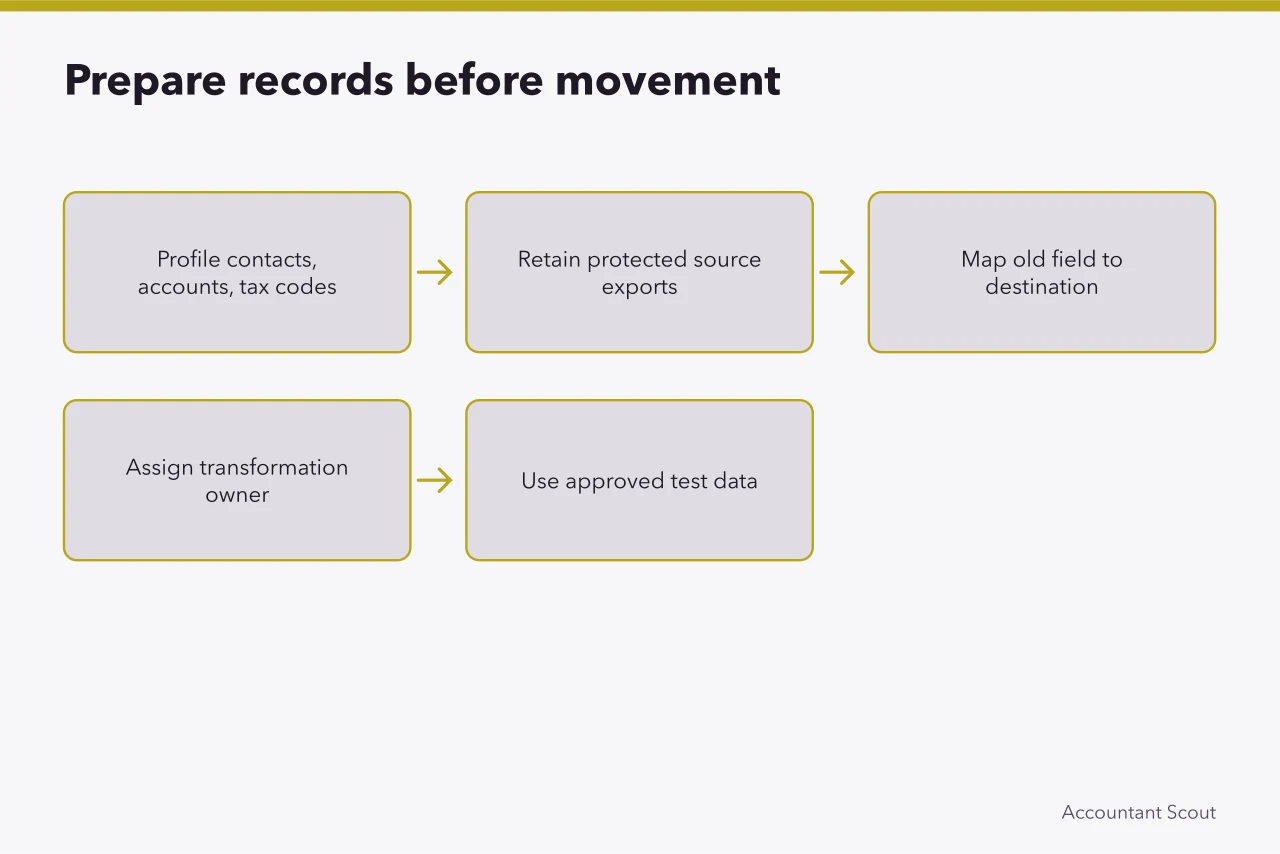
Never clean the only copy. Retain protected source exports and control totals. Map each old field to its destination, transformation and owner. Use approved test data where possible, with live personal information introduced only under the authorised production arrangement.
Configure access deliberately
Create named accounts and roles from task needs. Separate preparation, approval, submission and administration where the risk warrants it. Turn on strong authentication, review privileged access, restrict bulk exports and record emergency-access arrangements.
The NCSC's small-business account guidance covers practical protections for online services. Apply them alongside the practice's own risk and supplier configuration rather than assuming secure defaults.
Migrate and reconcile in rounds
Run a small trial import, then compare record counts, opening and closing balances, aged items, tax totals and selected source documents. Investigate and clear each difference before the next round. Repeat the process after changing a mapping.
Two England checks belong in each round. Reconcile the VAT return boxes against the source ledger for the same period; a VAT return is due one month and seven days after the period ends. Reconcile Full Payment Submission totals against the payroll journal before each payday; RTI reports are due on or before the date staff are paid.
Set a tolerance before the first round. A typical working figure is no more than £1 of unexplained difference per control account, with zero tolerance on the VAT control and PAYE/NIC liability accounts. What is right for you depends on transaction volume, currency and materiality.
Test at least one awkward case for each important workflow: duplicate receipt, credit note, amended entry, split payment, missing evidence, leaver, failed bank feed, integration delay and rejected submission. Confirm that reviewers can see the change history and underlying record.
Pilot the whole service
Choose a manageable mix of real work with consent and controls appropriate to the arrangement. Include ordinary and complex users. Run old and new processes in parallel only where its control benefit exceeds the added confusion, and say which system is authoritative.
Measure completion, corrections, unresolved exceptions, help requests and review effort. Give clients concise instructions for capture, approval and support.
Control go-live and early operation
Set entry criteria, a final reconciliation, backups, contact routes, rollback decision and deadline contingency. Avoid a peak filing or payroll date unless there is a compelling, tested reason.
During early operation, hold short defect reviews and classify issues by consequence. Preserve workarounds, approvals and supplier responses. Remove temporary access promptly.
Close the project only after records reconcile, critical defects are resolved or formally accepted, documentation is current and ownership has moved into business operations. Schedule access reviews, restore exercises, supplier checks and an export test.
Before you act
- Appoint a decision owner and named leads.
- Freeze entities, clients, periods and configuration.
- Profile and map records before any movement.
- Create named accounts with strong authentication.
- Run a trial import and reconcile in rounds.
- Set go-live entry criteria and a rollback decision.
Common questions
Who should accept risk on behalf of the practice?
The practice must appoint a decision owner and identify who can accept defects or delay go-live. A supplier project manager cannot accept risk on behalf of the practice, so acceptance must sit internally with named people.
How should records be prepared before migration?
Profile contacts, accounts, tax codes, opening balances, transactions, attachments and identifiers. Decide which duplicates, obsolete records and unresolved differences are corrected before migration and which carry an approved note. Never clean the only copy, and retain protected source exports and control totals.
When should the project be closed?
Close only after records reconcile, critical defects are resolved or formally accepted, documentation is current and ownership has moved into business operations. Then schedule access reviews, restore exercises, supplier checks and an export test, because launch is the start of controlled use.